Switching From WordPress
Rizqi Fahma / 04.03.2023
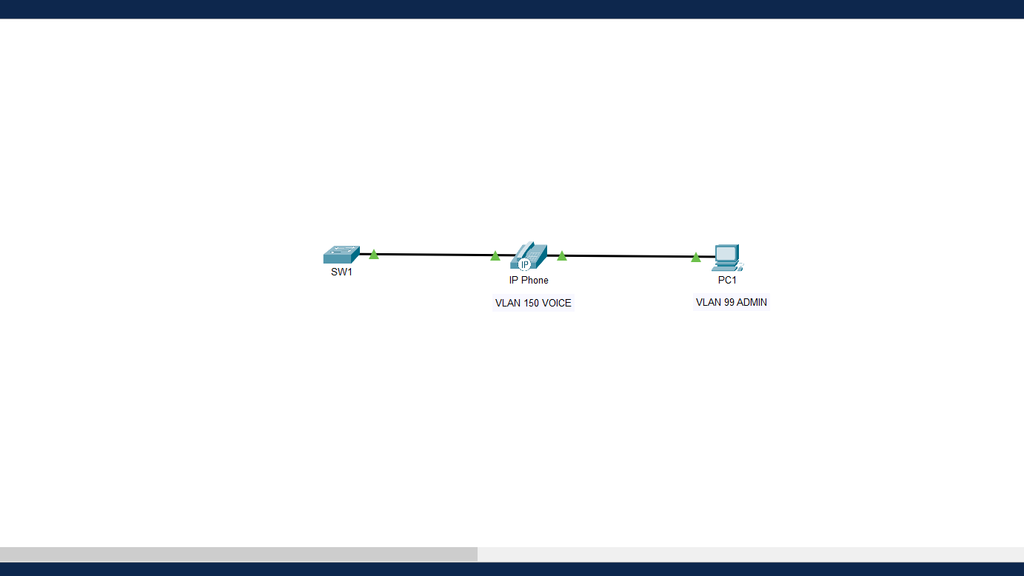
Table of Contents
Concept
It is the VLAN defined on the link to forward phone traffic. Traffic on this VLAN usually uses an 802.1Q tag header. An access port can belong to only one VLAN at a time. However, a port can also be associated with a voice VLAN. For example, a port connected to an IP phone and an end device would be associated with two VLANs: one for voice and one for data.
SW1
Create and name VLANs
SW1(config-if)# vlan 99
SW1(config-vlan)# name ADMIN
SW1(config-vlan)# exit
SW1(config-if)# vlan 150
SW1(config-vlan)# name VOICE
SW1(config-vlan)# exit
Configure access ports and voice VLANs
SW1(config)# interface FastEthernet 0/1

// Link with the IP Phone equipment.
Use the switchport voice vlan {vlan-id} command to assign a voice VLAN to a port.
LANs that support voice traffic typically also have Quality of Service (QoS) enabled. Voice traffic must be labeled as trusted as soon as it enters the network. Use the command mls qos trust {cos | device cisco-phone | dscp | ip-precedence} to establish the trusted state of an interface, and to indicate which packet fields are used to classify traffic.
SW1(config-if)# switchport mode access
SW1(config-if)# switchport access vlan 99
SW1(config-if)# mls qos trust cos
SW1(config-if)# switchport voice vlan 150
Check information
SW1# show interfaces FastEthernet 0/1 switchportThe following is sample output from the show interfaces FastEthernet 0/1 switchport command.
Name: Fa0/1
Switchport: Enabled
Administrative Mode: static access
Operational Mode: static access
Administrative Trunking Encapsulation: dot1q
Operational Trunking Encapsulation: native
Negotiation of Trunking: Off
Access Mode VLAN: 99 (ADMIN)
Trunking Native Mode VLAN: 1 (default)
Voice VLAN: 150
Administrative private-vlan host-association: none
(Output omitted)